Capture anything. Without opening an app.

Type a note in your Android notification bar. Two taps to saved. No account. Offline. Under 4 MB.

Now available on Google Play. No account, no ads, offline — Android 7.0+. Direct APK mirrors remain available.
Notification bar · No account · No ads · Offline · Android 7.0+
Notification barType without opening an app.
17 languagesUI + smart date parsing.
No account, no adsJust open it and use it.
Offline · < 4 MBTiny, private, fast.
Quick Answer

What is the fastest way to capture a note on Android without opening an app?

Install SnapTask from Google Play. It puts a permanent notification with an inline input field in your shade — pull down, type, hit send. The note is saved in under two seconds with no app launch, no account, and no ads. Works offline on Android 7.0+.

Why do you keep losing thoughts on Android?

The friction kills the habit:

SnapTask fixes this with one zero-friction capture flow: a permanent notification-bar input. Pull down, type, send. No app launch.

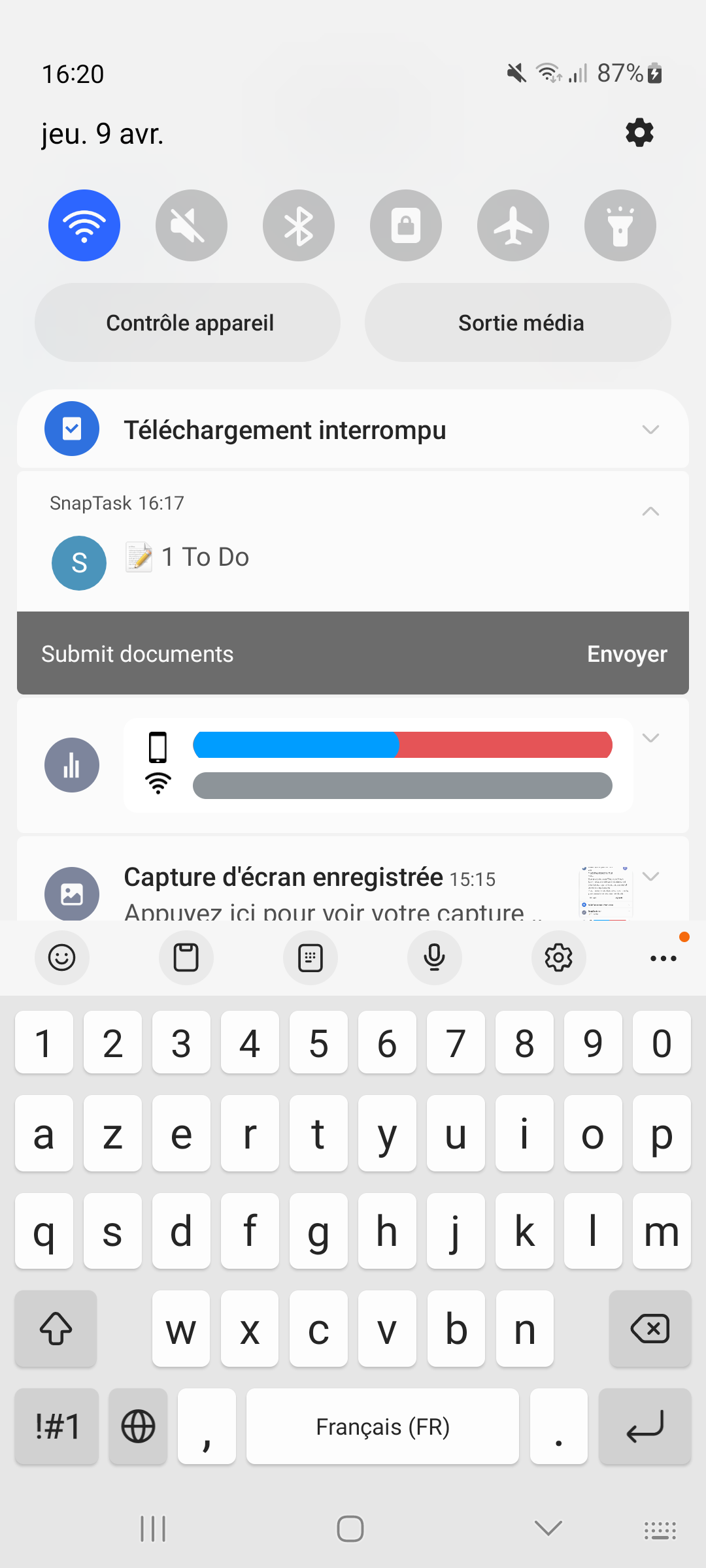
How adding notes from the notification bar works

1

Pull down your notification shade

SnapTask sits there always — like a music-player notification, but for your brain.

2

Tap the input field and type

"Buy milk tomorrow", "Submit form +2d", "Pay rent 15/03/2026" — write the note and add a supported date shortcut when you need one.

3

Tap Send. Done.

Saved instantly. Supported dates and shortcuts are parsed automatically, then saved to your inbox.

29-second demo of the Android notification input

See it in action

Real screens from the app — not mockups. Swipe to scroll.

SnapTask notification bar with inline reply input
Add from the notification bar
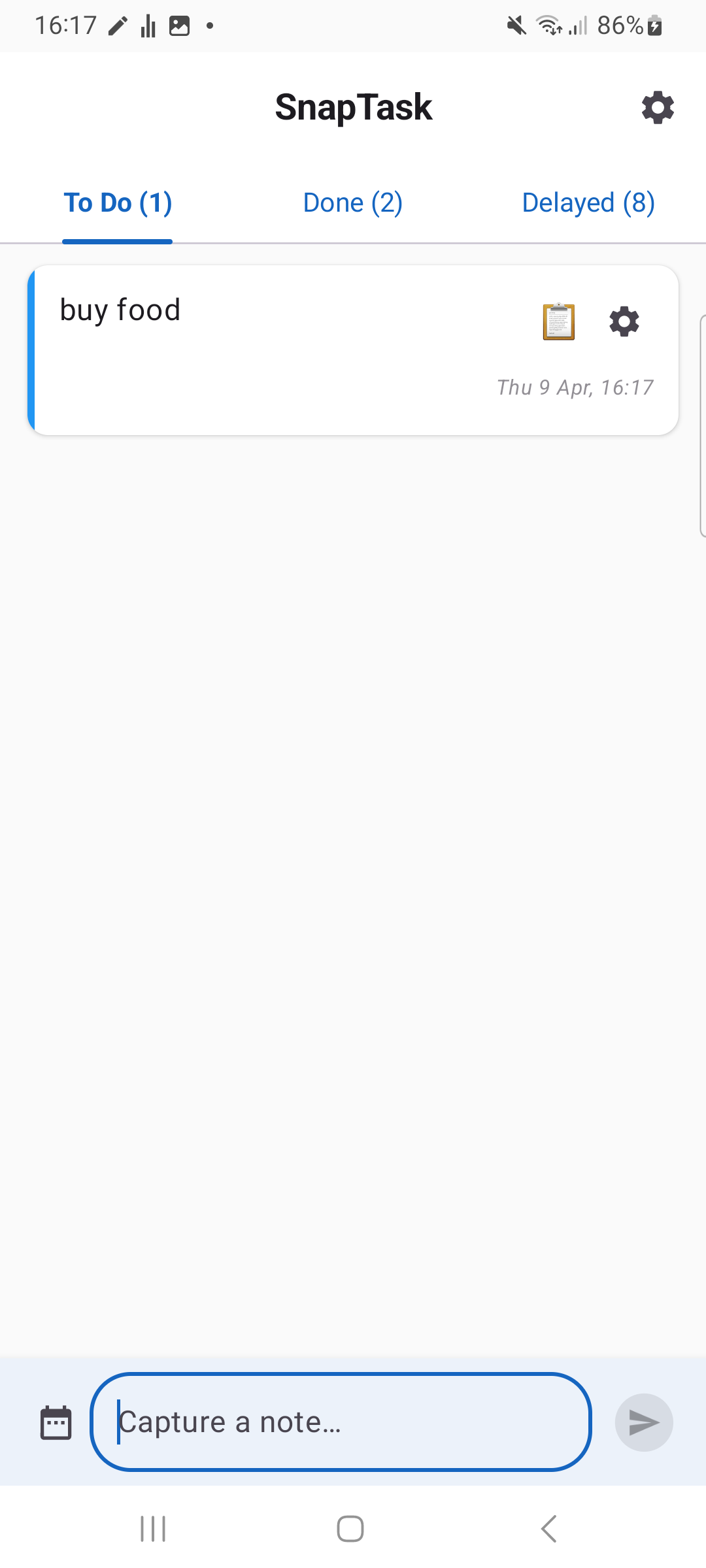
SnapTask inbox showing saved notes and tasks
Notes and tasks in one tidy inbox
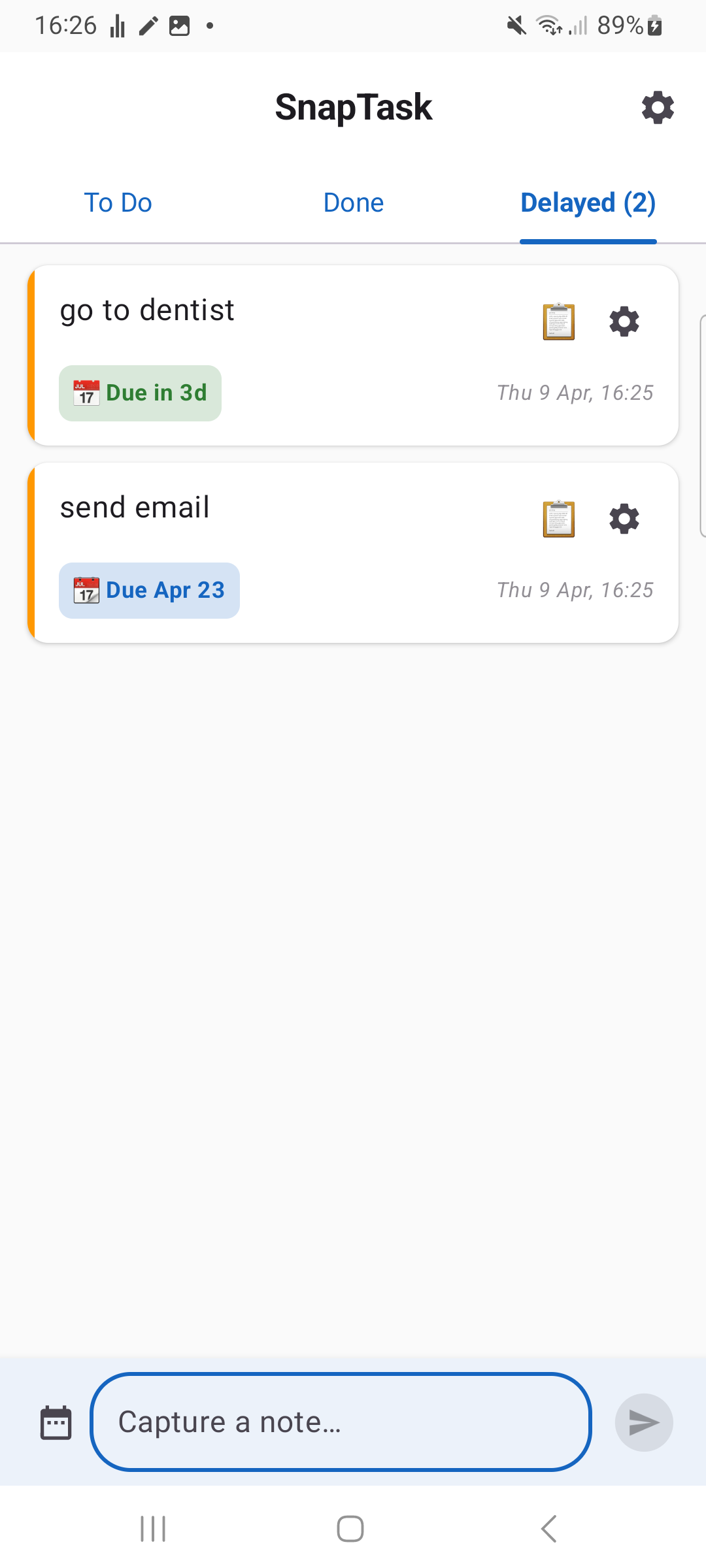
SnapTask scheduled tasks tab with reminders
Date shortcuts, scheduled
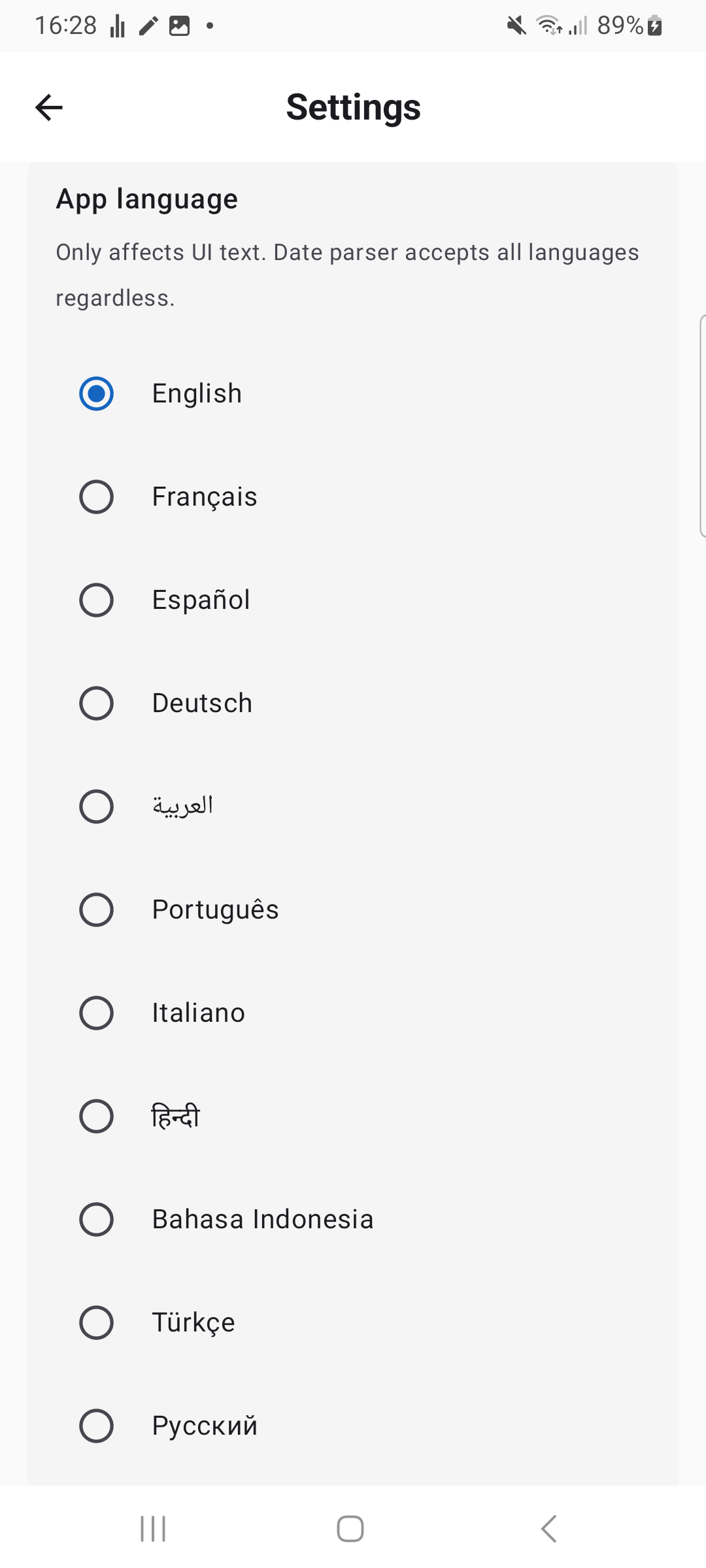
SnapTask settings: language, badges, license key
17-language UI · clean settings

← swipe →

What makes SnapTask different from Google Keep and Todoist?

🔔

Notification-bar input

A persistent notification with an inline input field. Pull down, type, send — saved without ever opening the app.

Save in seconds

From intent to saved in under two seconds. No loading screen. No nav. No clutter.

🌍

17-language UI

The app UI is available in 17 languages. Date shortcuts like "tomorrow", "+2d", and "15/03/2026" keep saving fast.

🔒

100% offline · no account

No login. No cloud. No tracking. Your notes live on your device only.

🪶

Under 4 MB

Less than 1% daily battery. No background polling, no ads, no bloat.

SnapTask vs. the alternatives

How adding from the notification bar stacks up against the popular Android task apps people are switching from.

Feature SnapTask Google Keep Todoist TickTick
Add without opening app ✓ Notification bar Widget only Widget only Widget only
Taps to save a task 2 4–5 4–6 4–6
Quick date shortcuts ✓ Common formats No English only English only
Works fully offline Account required Account required
No account required Google account Account Account
No tracking / no ads Google tracking Telemetry
App size < 4 MB ~20 MB ~50 MB ~70 MB
Free tier Full features Full features Limited Limited
Pro price $2/mo $4/mo $3/mo

Comparison based on publicly available app information as of April 2026. SnapTask isn't trying to replace full project managers — it's the fastest path from thought to saved task.

Which languages does SnapTask support?

SnapTask supports quick date entry across common formats and a multilingual UI. Type a supported shortcut and keep moving.

🇬🇧
English
Call mom tomorrow
🇫🇷
French
Appeler maman demain
🇪🇸
Spanish
Llamar a mamá mañana
🇸🇦
Arabic
اتصل بأمي غداً
🇩🇪
German
Mama morgen anrufen
🇮🇹
Italian
Chiamare mamma +2d
🇵🇹
Portuguese
Ligar para mãe +2d
🇳🇱
Dutch
Mama +2d bellen
🇷🇺
Russian
Позвонить маме +2d
🇨🇳
Chinese
给妈妈打电话 +2d
🇯🇵
Japanese
ママに電話 +2d
🇰🇷
Korean
엄마에게 전화 +2d
🇹🇷
Turkish
Annemi ara +2d
🇵🇱
Polish
Zadzwoń do mamy +2d
🇸🇪
Swedish
Ring mamma +2d
🇮🇳
Hindi
माँ को फ़ोन कल
🇮🇩
Indonesian
Telepon ibu besok

Who is SnapTask built for?

SnapTask is for the moments between everything else — when you have an idea and three seconds before it disappears.

🚶 Walking the dog

Remember to email the landlord. Pull down notification, type "Email landlord about heating", send. Without ever stopping.

🚌 On the bus

"Buy bread on the way home" — saved in 2 seconds while you keep scrolling. No app context-switch.

💼 In a meeting

"Follow up with Sarah +2d" — typed under the table and saved before the thought disappears.

🛌 In bed at midnight

That idea you'll definitely forget by morning? "Refactor login flow tomorrow" — saved before sleep.

🚗 At a red light

"Pick up dry cleaning tomorrow" — handled at a glance, hands back on the wheel before green.

🍳 Cooking dinner

"Add olive oil to grocery list" — voice-to-text into the notification while your hands are busy.

Read more from the SnapTask blog

In-depth guides and honest comparisons with the apps people actually use.

Google Keep vs SnapTask Which Android notes app is faster in 2026? TickTick alternative for Android Free, lightweight, no account required. Todoist alternative for Android Free, no account, offline-first. Samsung Notes alternative For people leaving One UI bloat behind. Google Keep alternative No Google account, no sync, offline. TickTick persistent notification What it does and doesn't do on Android. Best offline notes app Android, no account required. Lightest notes app for Android Under 4 MB. No bloat. No ads. The Quick-Capture Guide 7 ways to never lose a thought again. Notes from the notification bar How to save text without opening an app. Best notes app for students Lecture deadlines, fast capture, free. Best notes app for ADHD Why friction kills follow-through.

Frequently asked questions

How do I add notes from the Android notification bar?

SnapTask keeps a persistent notification with an inline input field visible at all times. You type directly into the notification — no app launch — and your note or task is saved instantly. The notification is the app's primary UI.

What is the fastest way to take notes on Android?

Type directly into the notification-bar input — zero app launches. SnapTask is built around this single flow so you never have to context-switch to save a thought.

Is SnapTask free?

Yes. Saving notes from the notification bar, the task list, tags, and reminders are free. SnapTask Pro ($2/month) unlocks custom notification badges, markdown export, and priority feature requests.

Will the persistent notification drain my battery?

No. The notification doesn't poll, sync, or run network calls in the background. It's a passive UI element. Real-world battery impact is under 1% per day on a typical phone.

Which languages does the date parser support?

17 UI languages: English, French, Spanish, Arabic, German, Italian, Portuguese, Dutch, Russian, Chinese, Japanese, Korean, Turkish, Polish, Swedish, Hindi, and Indonesian. The current date parser supports common shortcuts like "tomorrow", "+2d", "15 May", and "15/03/2026".

Does SnapTask sync to other devices?

Not currently. SnapTask is intentionally offline-first — no account, no cloud, no tracking. Backup/restore via local file export is supported. Optional encrypted sync is on the roadmap for SnapTask Pro.

How is SnapTask different from Google Keep or Todoist?

Google Keep and Todoist require you to open the app — or open a widget — every time. SnapTask is built around one zero-launch flow: a permanent notification-bar input for fresh thoughts. It requires no account, runs fully offline, has no ads, and is under 4 MB. SnapTask isn't trying to replace a full project manager — it's the fastest path from intent to saved note.

Where can I download SnapTask?

Get SnapTask from Google Play. Direct APK mirrors are also available from snaptask.org and APKPure for users who prefer manual installation.

Is SnapTask available on Google Play?

Yes. SnapTask is live on Google Play and available for public installation. APK mirrors remain available for users who prefer direct downloads.
Capture the thought. Move on.

A permanent notification-bar input for fresh thoughts. Now on Google Play — no account, no ads, offline.

Get on Google Play Get it on APKPure